
Howdy, Stranger!
It looks like you're new here. If you want to get involved, click one of these buttons!
Quick Links
If requesting help, make sure to mention what game you are attempting to use ACT with.
For the best FFXIV support, join Ravahn's Discord Server. Also check out OverlayPlugin's FFXIV FAQ and Setup Guide.
For the best FFXIV support, join Ravahn's Discord Server. Also check out OverlayPlugin's FFXIV FAQ and Setup Guide.
Death Report hanging

Getting my head back into making some plugins that may be useful...
One thing I'm trying to do is automatically open a death report when I die...
I've been able to successfully open an avoidance report using:
One thing I'm trying to do is automatically open a death report when I die...
I've been able to successfully open an avoidance report using:
var characterName = ActGlobals.charName;
var encounter = ActGlobals.oFormActMain.ActiveZone.ActiveEncounter;
var combatant = encounter.GetCombatant(characterName);
new FormAvoidanceReport().ShowAvoidanceReport(combatant);
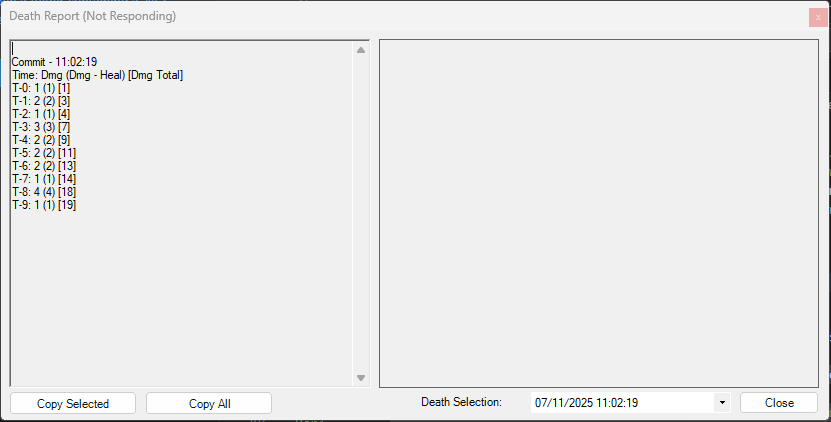
However, when I attempt to do similar to open a death report, I get a death report screen that is hung.
I've plugged into the "AfterCombatAction" event for now, and keep an eye on the deathcount of current player:
However, when I attempt to do similar to open a death report, I get a death report screen that is hung.
I've plugged into the "AfterCombatAction" event for now, and keep an eye on the deathcount of current player:
var encounter = ActGlobals.oFormActMain.ActiveZone.ActiveEncounter;
//TODO: only need to do this once each new combat, but isn't always available on the OnCombatStart event
currentCombatant = encounter.GetCombatant(ActGlobals.charName);
if (currentCombatant != null)
{
infoLabel.Text = string.Format("{0}: {1}", currentCombatant.Name, currentCombatant.Damage);
if (currentCombatant.Deaths != deathCount)
{
if (currentCombatant.Deaths > deathCount)
{
// Player has died
new FormResistsDeathReport().ShowDeathReport(currentCombatant);
}
deathCount = currentCombatant.Deaths;
}
}
Any pointers appreciated.
Any pointers appreciated.
Tagged:
Comments
The Avoidance Report was being done from "OnCombatStartEvent", I assume that operates somehow from within the UI thread? I'm not sure how to tell which events are operating on which threads.
As for my specific use case, can you think of a better event for me to grab the current combatant from on combat starting? If a pet or someone else starts the combat, I assume that my own combatant won't exist yet. Looking at the documentation, I can't seem to see a better way.
Regardless, cheers for the response, and appreciate the explanation!